Profile workflow maps
See who does what, where work returns for revision, and what each profile produces. Open a map below or download its SVG to share with your team.
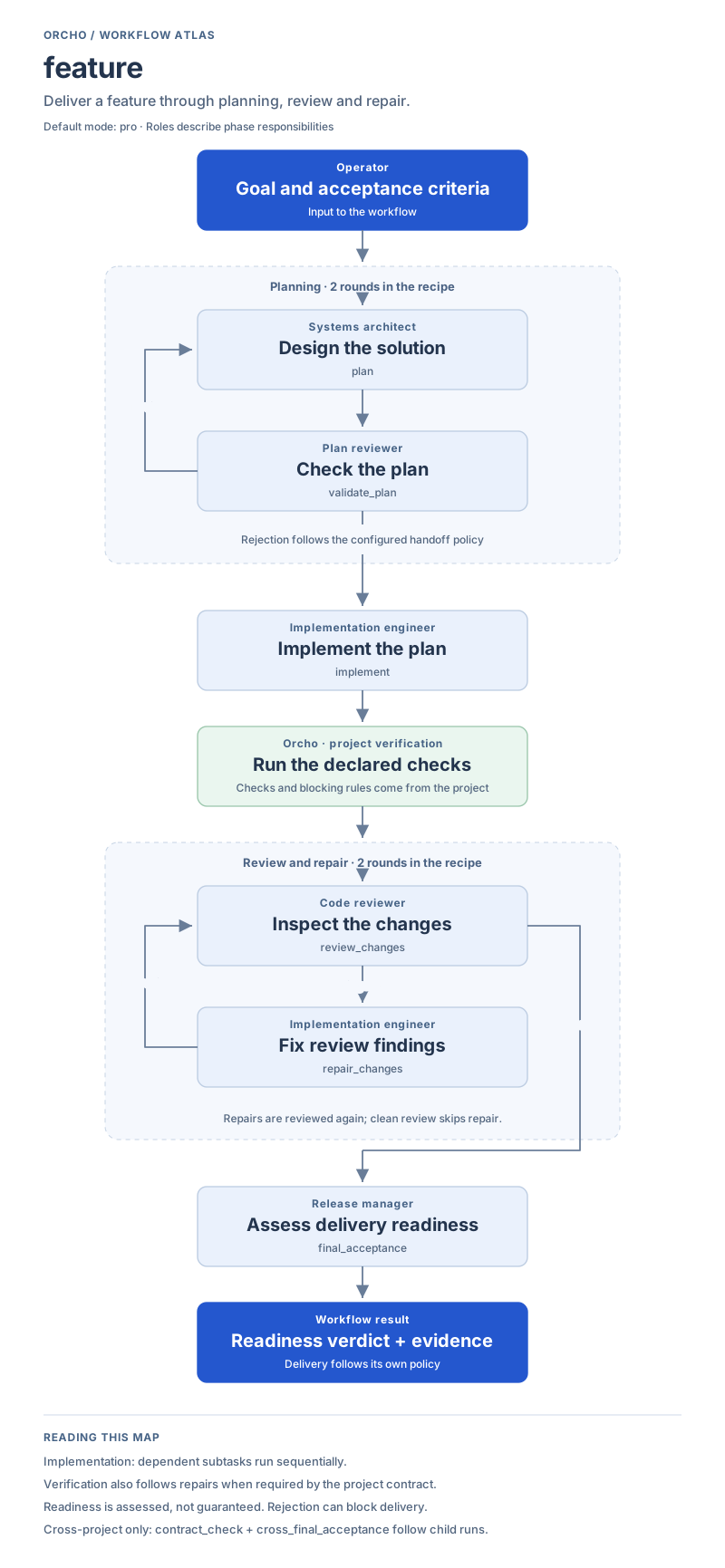
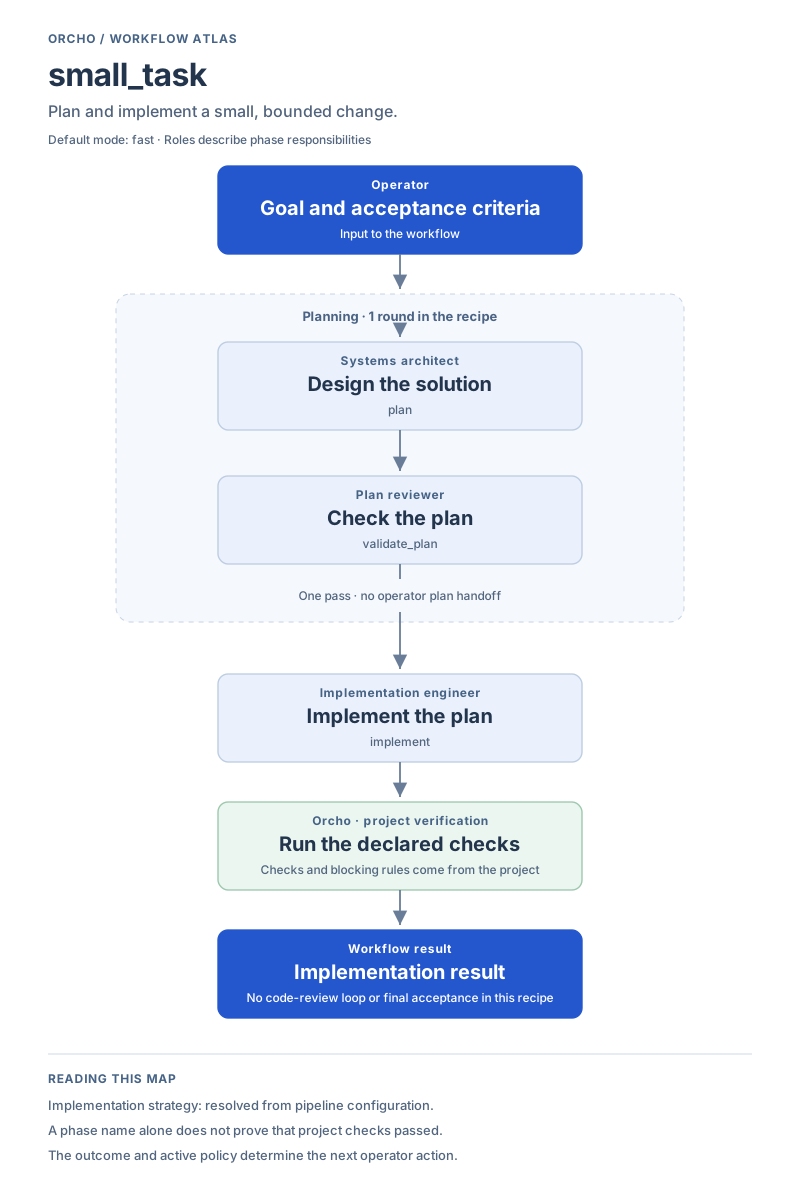
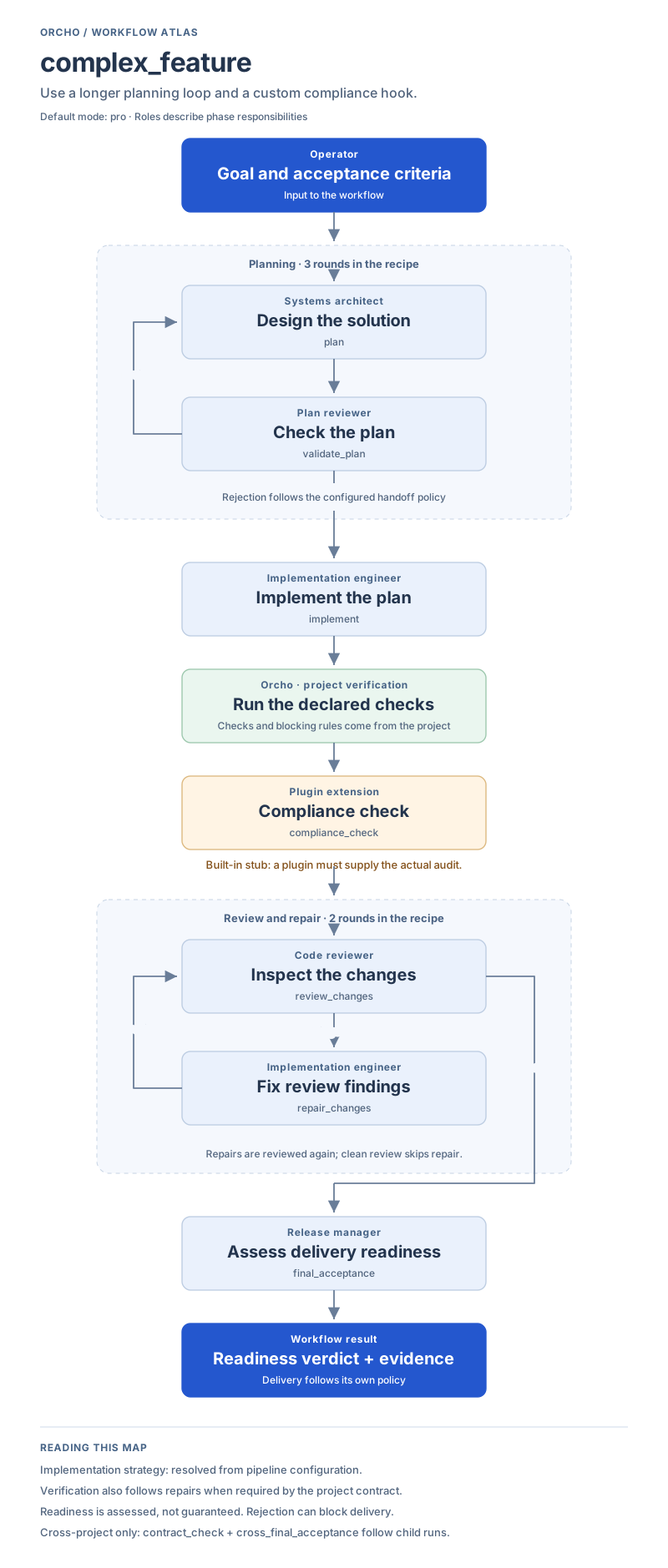
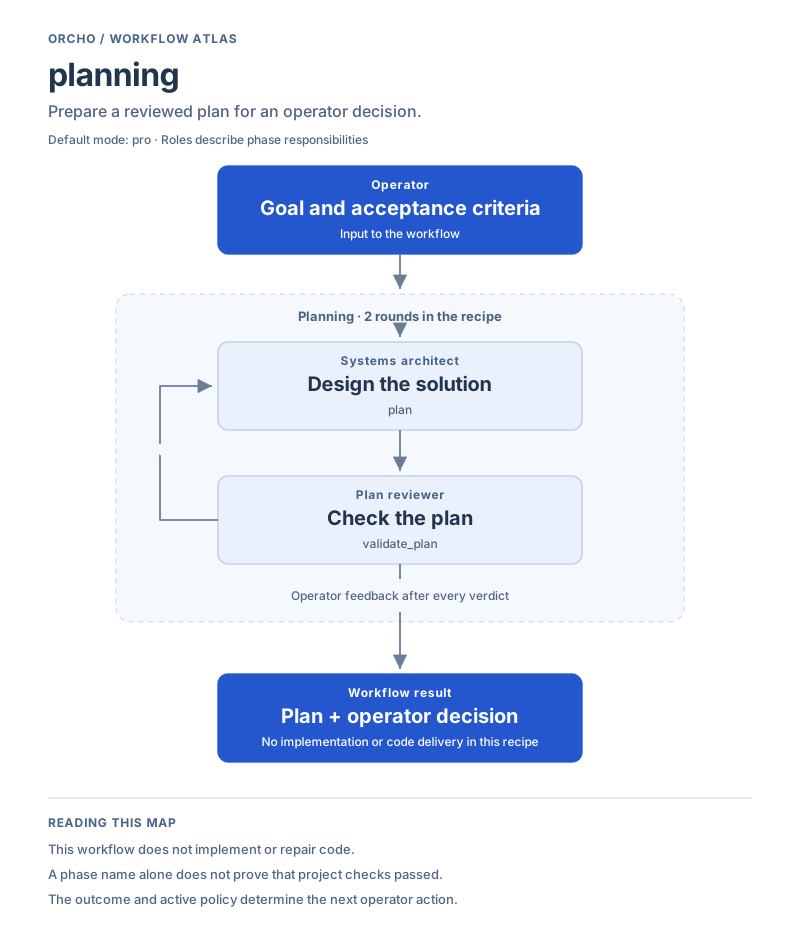
Blue marks the input and result. Light blue marks an agent’s work. Green marks project verification. Amber marks a plugin extension. Roles describe responsibilities; they do not imply a separate agent process or parallel execution for every box.
| Work to do | Profile |
|---|---|
| Make a small, bounded change | small_task |
| Deliver a feature | feature |
| Add a custom compliance step | complex_feature |
| Prepare a plan | planning |
| Investigate before implementation | research |
| Assess existing changes for delivery | delivery_audit |
| Review an existing working diff | code_review |
| Restructure existing code | refactor |
| Plan and implement a migration | migration |
These maps show the built-in single-project recipes. Local configuration can change them. Failed verification and exhausted loops follow the active handoff policy; reaching a box does not mean its checks passed. Commit, publication and deployment are separate from the phase sequence.
Feature
Section titled “Feature”The full development cycle: validate a plan, implement dependent subtasks,
review, repair when needed, and assess readiness. Subtasks currently execute
sequentially. The built-in default mode is pro.
feature Default: pro View workflow
Scroll sideways to read the full map on a small screen.
Small task
Section titled “Small task”One planning pass followed by implementation. This recipe has no code-review loop or final-acceptance phase. Declared project verification still applies.
small_task Default: fast View workflow
Scroll sideways to read the full map on a small screen.
Complex feature
Section titled “Complex feature”Allows three planning rounds and adds compliance_check before code review.
The built-in compliance handler is a no-op stub: a plugin must supply a
real audit. Choosing this profile alone does not add security testing.
complex_feature Default: pro View workflow
Scroll sideways to read the full map on a small screen.
Planning
Section titled “Planning”Produce and validate a plan, with operator feedback after every verdict where interactive handoffs are supported. Implementation is a separate follow-up.
planning Default: pro View workflow
Scroll sideways to read the full map on a small screen.
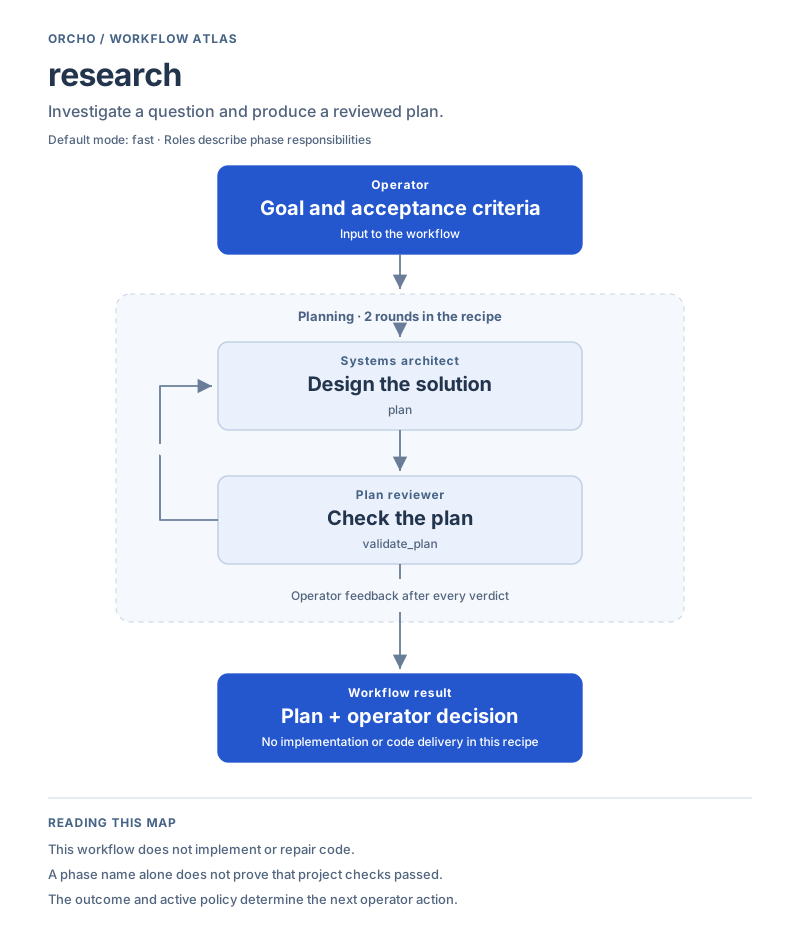
Research
Section titled “Research”Uses the same planning recipe for investigation, with fast as its default
mode. Its output is a reviewed plan, not an implemented change.
research Default: fast View workflow
Scroll sideways to read the full map on a small screen.
Delivery audit
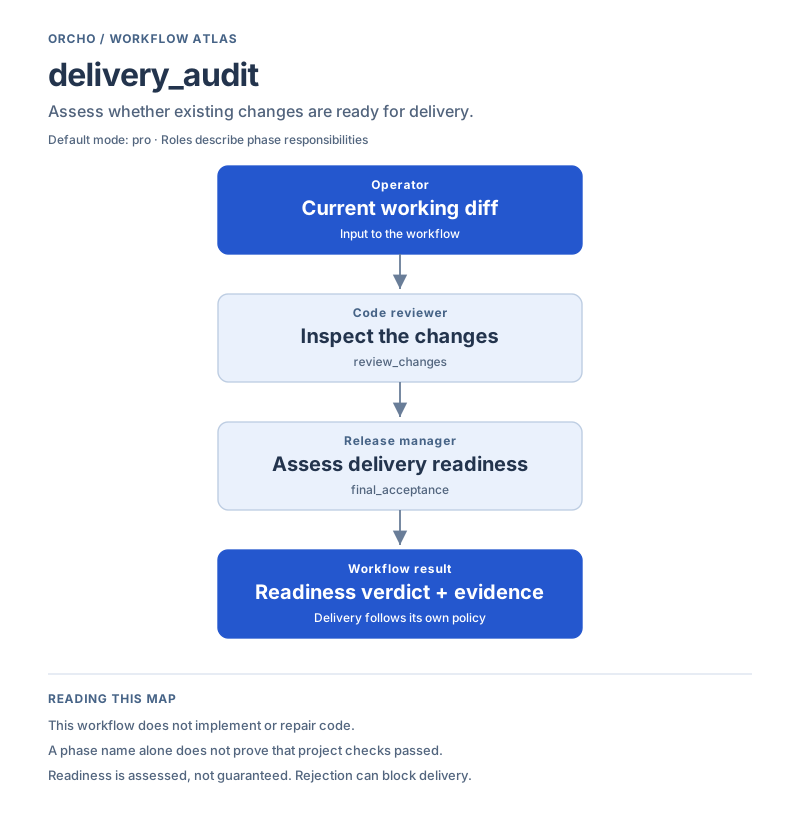
Section titled “Delivery audit”Review current uncommitted changes and assess delivery readiness. This recipe does not implement fixes; the review phase skips when there is no working diff.
delivery_audit Default: pro View workflow
Scroll sideways to read the full map on a small screen.
Code review
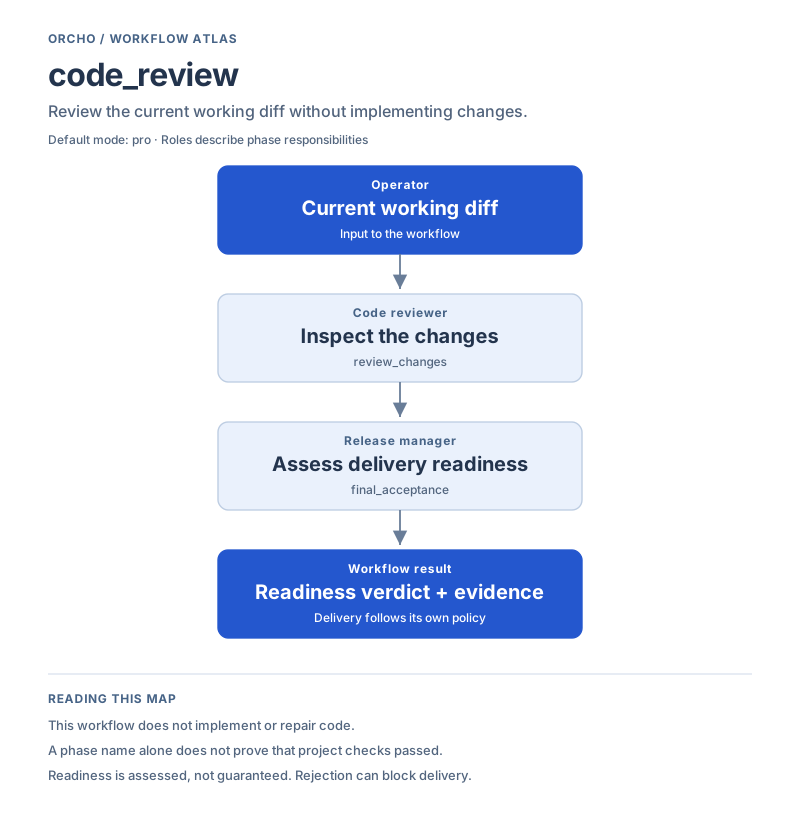
Section titled “Code review”Uses the same two-phase recipe as delivery audit, with code review as the work intent. Findings do not start an automatic repair loop in this profile.
code_review Default: pro View workflow
Scroll sideways to read the full map on a small screen.
Refactor
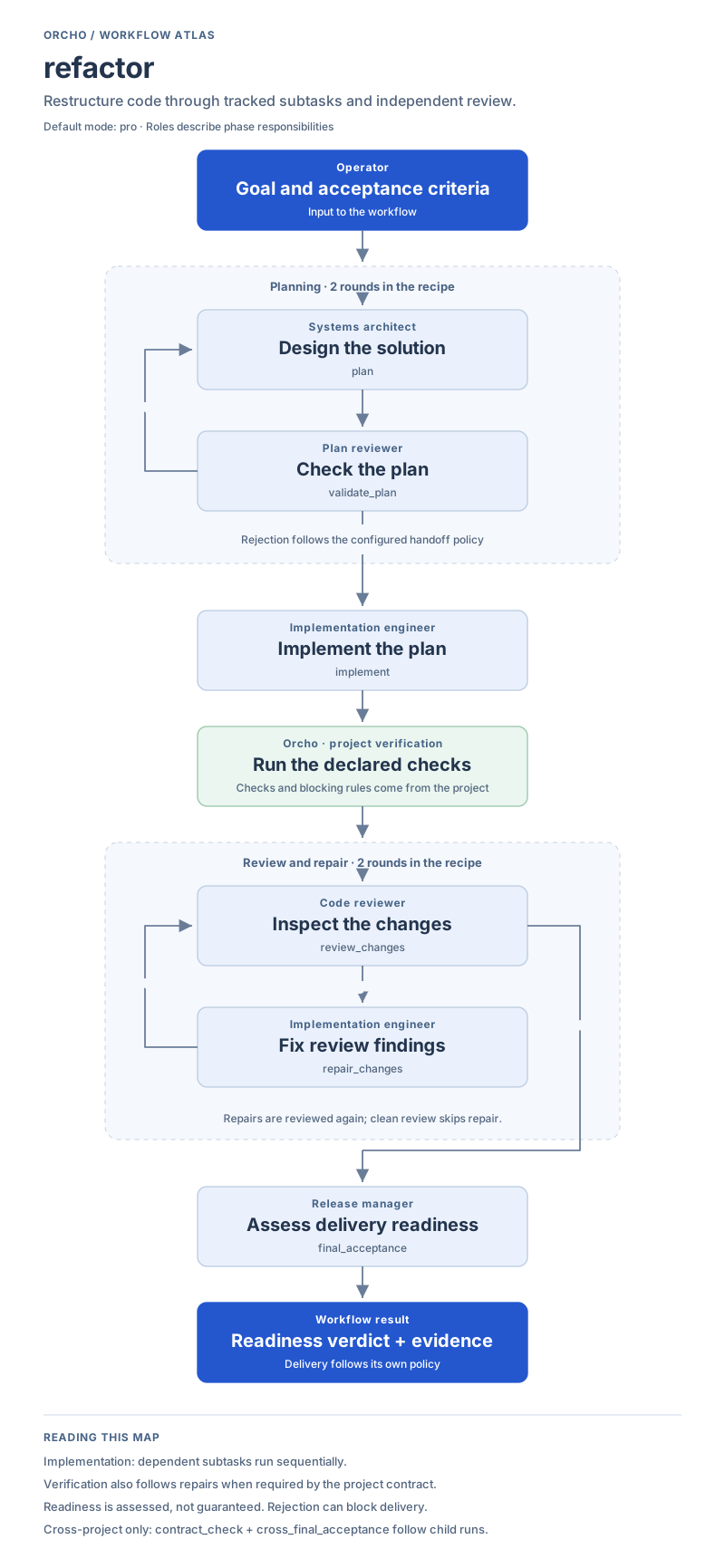
Section titled “Refactor”Uses the feature recipe for restructuring: a reviewed plan, sequential dependent subtasks, review and repair, then final acceptance.
refactor Default: pro View workflow
Scroll sideways to read the full map on a small screen.
Migration
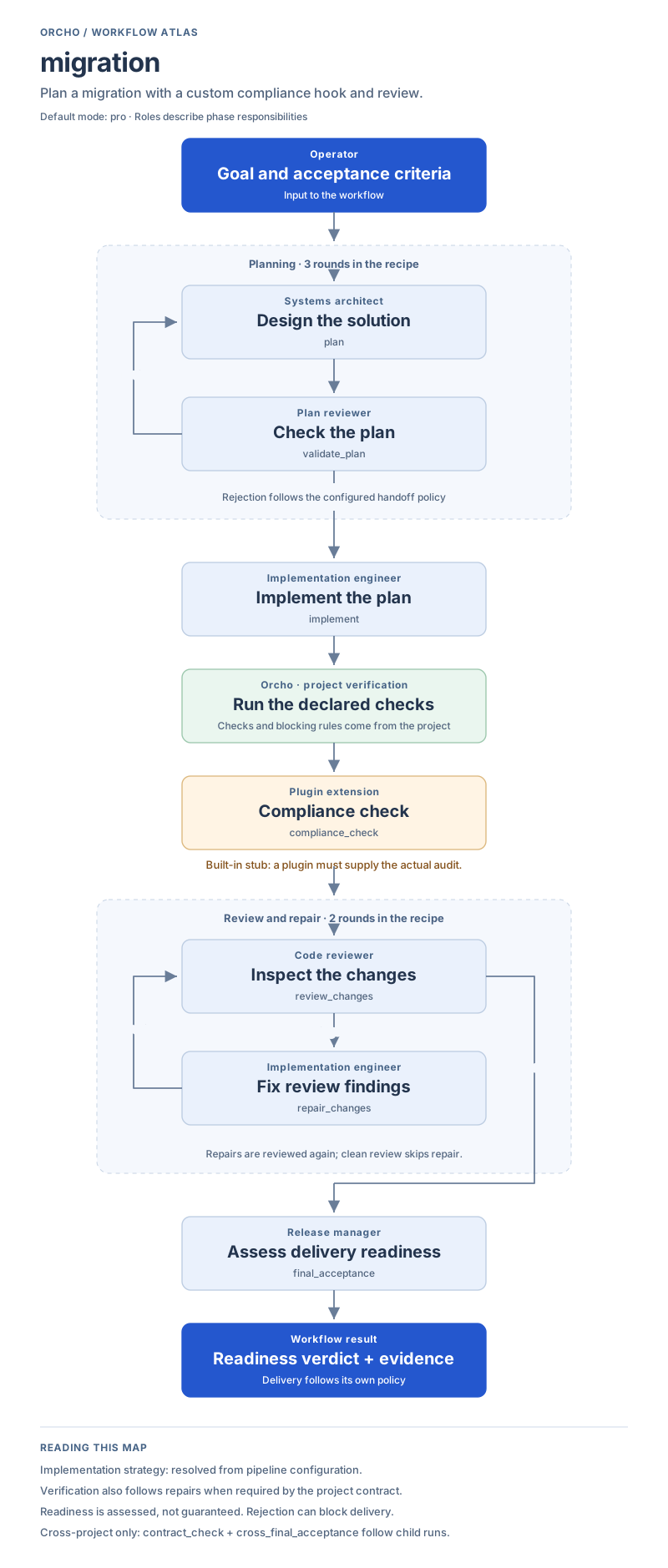
Section titled “Migration”Uses the complex-feature recipe for migrations. Database-specific checks, rollback checks and a real compliance audit must be supplied by the project or a plugin; they are not created by the profile name.
migration Default: pro View workflow
Scroll sideways to read the full map on a small screen.
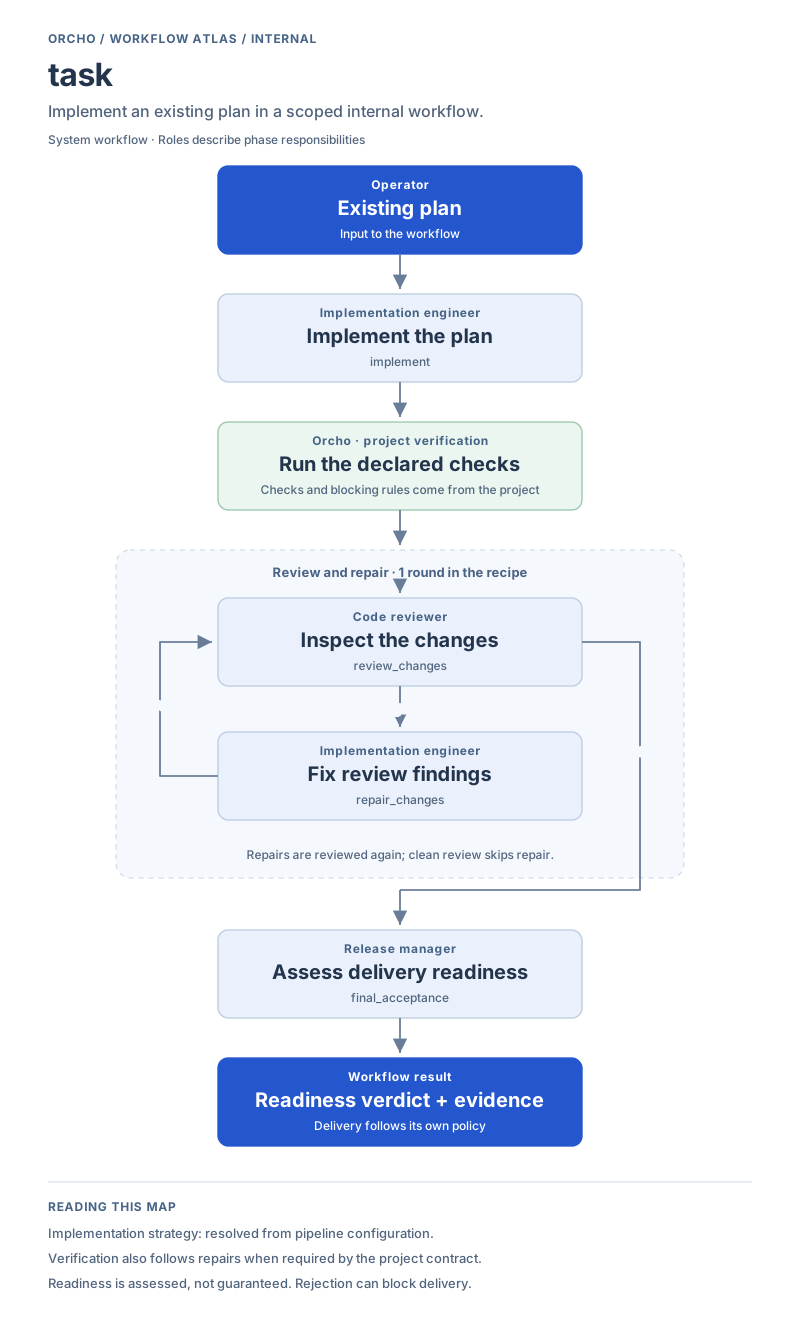
Internal workflow. Starts from an existing plan and runs implementation, review and repair, then final acceptance. It is hidden from fresh-run choices.
task Internal workflow View workflow
Scroll sideways to read the full map on a small screen.
Correction
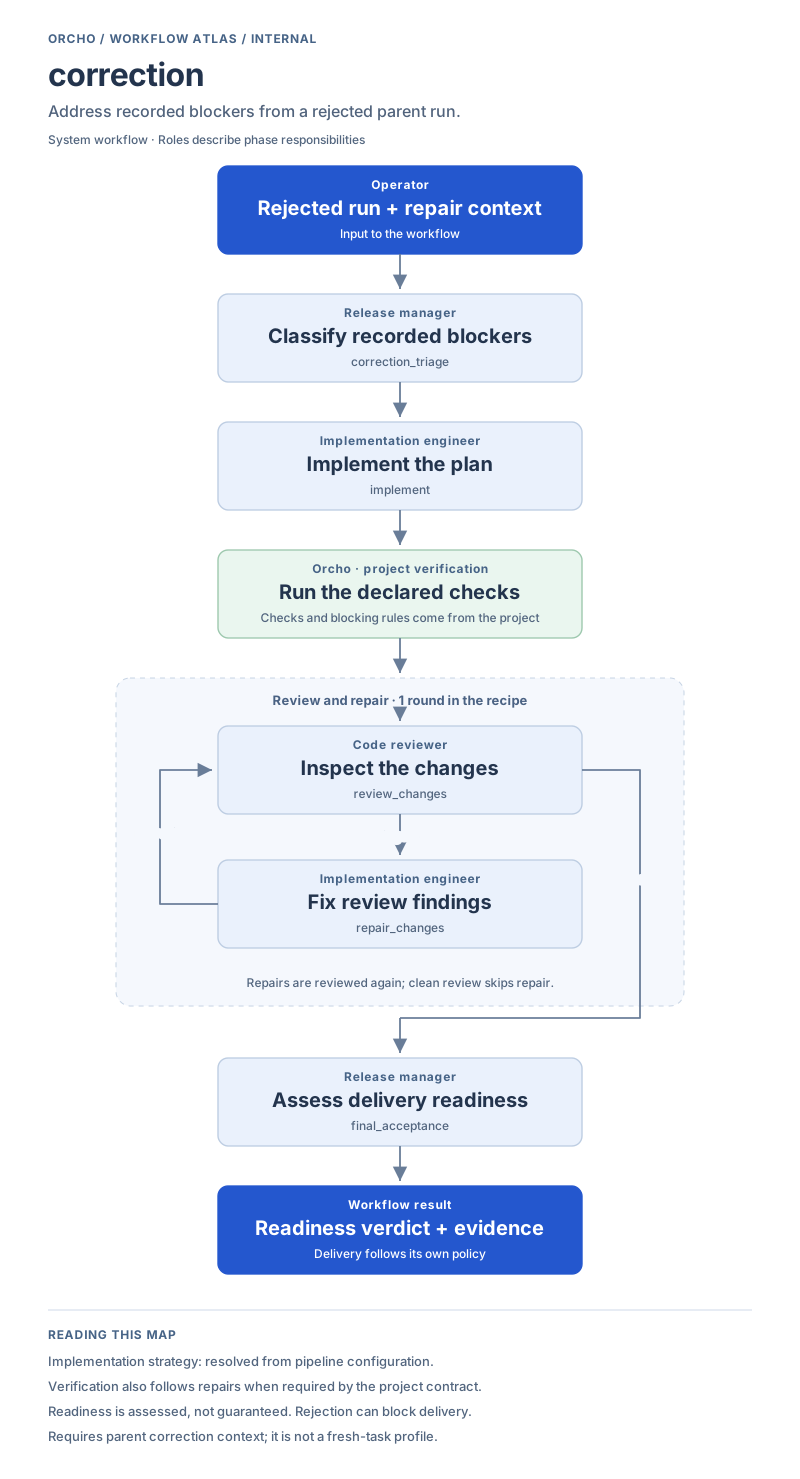
Section titled “Correction”Internal workflow. Starts by classifying recorded blockers from a rejected parent run, then implements, reviews and assesses the repair. It requires correction context and is not a fresh-task profile.
correction Internal workflow View workflow
Scroll sideways to read the full map on a small screen.
Beyond these maps
Section titled “Beyond these maps”In cross-project runs, feature, complex_feature, refactor and migration
also require the runner-owned contract_check and cross_final_acceptance
gates after the relevant child work. See
Cross-project projection.
The maps are generated from the built-in recipe definitions. Round counts describe the recipe budget; operator-directed retries can extend a run. Project verification determines which checks run and whether failures block.
- Profile semantics explains how to choose a workflow.
- Profile reference lists configuration and schema fields.
- Handoffs and advisors explains what happens when a run needs a decision.
- Scheduled verification explains how to declare actual checks.